Authentication (deprecated API)
Deprecated. This page documents authentication for the legacy API. New integrations should use the current Authentication page, which exchanges Castlabs API access keys for OAuth tokens.
All Video Toolkit users are managed by Castlabs’ single sign-in system. API access is authenticated with VTK specific API keys.
Hosts
VTK Production
https://vtk.castlabs.com
VTK Staging
https://vtk.castlabs.com
To authenticate a VTK API call to execute a job (i.e. castlabs::test) you need to login with your user account first and generate an API key by navigating to the API Keys menu item.
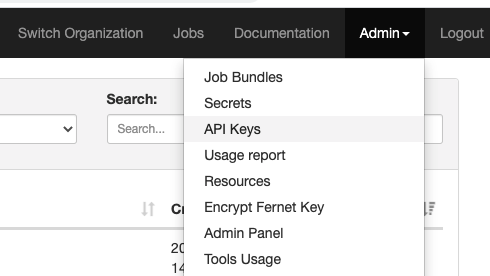
Now select [New API Key] and enter a description.
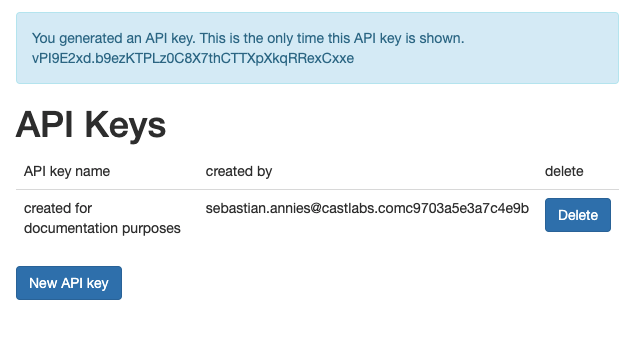
Note down your API key.
Authentication Example using cURL:
You can use cUrl to verify your setup:
curl -H 'Authorization: api-key AbabBbbAB.XyYYXYxxYxXYxYXYXYXxYxYXYXYxY' https://vtk.castlabs.com/api/
If this call returns 200 OK and the API’s root document you are good to go.
{"jobs":"https://vtk.castlabs.com/api/jobs/","po":"https://vtk.castlabs.com/api/po/","job_bundle":"https://vtk.castlabs.com/api/job_bundle/"}